 EN
EN

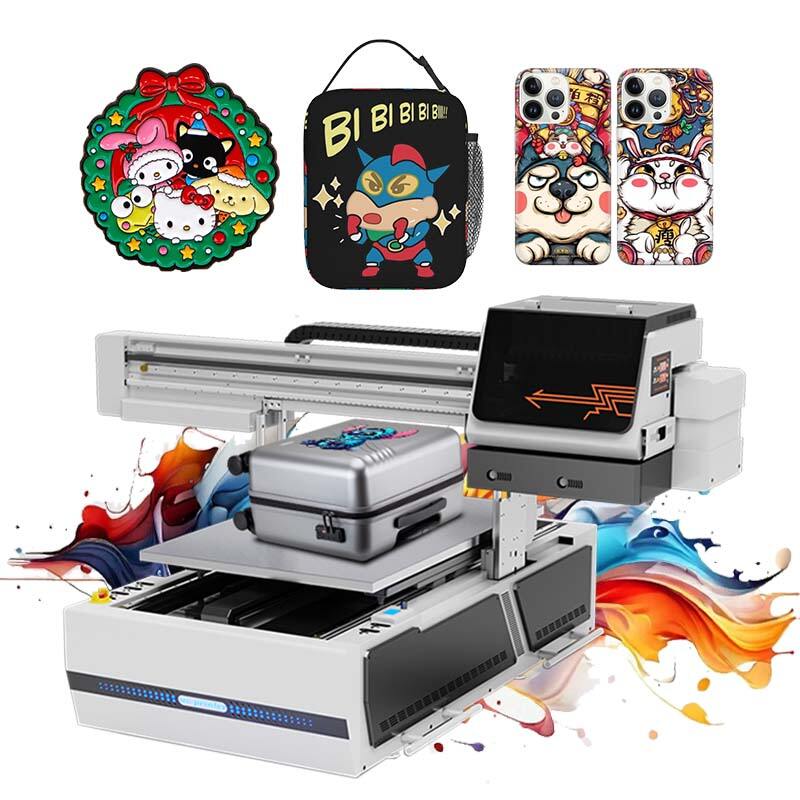
Daily and Routine Maintenance for UV Printer Reliability
Daily nozzle checks and capping station cleaning for optimal performance
Getting the day started right means checking those nozzles for any issues and making sure the capping station is all set. Most folks run some diagnostics first thing to spot those half-blocked nozzles before they become big problems. When something looks off, following what the manufacturer suggests about cleaning cycles usually takes care of small clogs pretty quickly. Don't forget about the capping station either it's there to protect the printheads when the printer isn't working, so wiping it down every day keeps it free from old ink buildup and gunk. Some research from 2024 showed that machines getting this kind of regular attention had around 70-odd percent fewer breakdowns where technicians had to rush in and fix failed printheads. Makes sense really saving money on repairs by doing a little bit each day instead of waiting until something breaks completely.
Routine maintenance schedule: Daily tasks for UV flatbed and wall printers
Consistent maintenance routines differ slightly between flatbed and wall-mounted UV systems but share core priorities:
- Flatbed models: Wipe the printing platform to remove adhesive residues
- Wall printers: Inspect rail lubrication and clean encoder sensors
- All systems: Verify UV lamp alignment and update firmware
Operators should document each completed task using digital logs or maintenance management software for compliance tracking.
Preventing ink buildup with manufacturer-approved inks and daily flushing
The folks who make UV printers are pretty specific about what chemicals go into their ink systems. When people try to cut corners with different formulas, they end up dealing with all sorts of viscosity problems down the line. We've seen time and again how non-approved inks tend to gunk up those dampers and tubes, leaving behind residue that takes serious solvent power to get rid of. Most service centers recommend doing daily flushes with the cleaning fluids approved by the manufacturer itself. This isn't just theory either – many technicians we talked to at last year's PrintTech conference mentioned seeing this firsthand. Shops sticking strictly to original equipment manufacturer (OEM) inks report around a 40% drop in downtime related to printing issues when compared against cheaper third party options on the market today.
Cleaning media path and managing debris to prevent mechanical errors
Printhead Care and Clog Prevention Strategies
Print Head Cleaning Using Automated Cycles and Manual Interventions
UV printers work best when we mix regular automatic cleaning with some hands-on maintenance from time to time. The machines have their own cleaning routines that blast out leftover ink residue using pressure, which handles around 8 out of 10 small blockages before they start messing up the prints according to Print Tech Institute data. When things get really stuck though, techs reach for special swabs and cleaners approved by the manufacturer to tackle hardened ink buildup inside those tiny nozzles. One big name in printing did some testing recently and discovered something interesting: printers that got their weekly auto-clean routine needed almost 40% less attention from humans over the course of a year.
Prevent Printhead Clogs Through Proper Nozzle Maintenance and Alignment
Regular nozzle inspections stop around 90 percent of those annoying clogs that happen in UV printing systems all the time. When printheads get misaligned, they basically push ink at wrong angles which wears down those sensitive nozzle plates faster than normal. Good maintenance means checking alignments whenever switching between different media types, always double checking nozzle patterns right before starting big print runs, and swapping out dampers about every three months to keep ink pressure just right. The folks running an industrial print shop last year saw their annual printhead replacement bills drop by roughly $1,200 when they stuck to these practices consistently across their operations.
Deep Cleaning After Idle Periods: Reviving Dormant Printheads
After sitting unused for about three days, UV printer ink starts to harden inside the nozzles, which means techs have to bring in special tools to get things working again. Most technicians reach for warm cleaning solution around 120 to 140 degrees Fahrenheit to melt away the hardened material first, then they'll run those nozzles through low pressure extraction systems. Some testing done recently found that this approach brought back around 94 out of every 100 nozzles in printers that had been left untouched for two weeks straight. That's pretty impressive when compared to regular maintenance techniques which only manage about half that success rate.
Third-Party vs. OEM Inks: Impact on Printhead Longevity and Warranty
A study by a group of printing industry experts found that around 73 percent of early printhead failures reported under warranty were linked to non-OEM inks. The problem seems to be with those third party inks which tend to have all sorts of different particle sizes ranging from about 2.8 to 5.1 microns compared to the much tighter range of 3.2 to 3.5 microns seen in genuine manufacturer controlled products. This inconsistency wears down the nozzles faster over time. Printers running with original equipment manufacturer inks typically keep over 98% of their nozzles working properly throughout the full 18,000 hour life span they're supposed to last. But folks who go with cheaper alternatives usually find their systems dropping to only about 63% nozzle functionality after just 12,000 hours of operation.
Ink Management and Environmental Control for Stable Output
Impact of Ink Quality on UV Printer Reliability and Print Consistency
High-grade UV inks maintain viscosity stability across print cycles, reducing nozzle clogs by 43% compared to subpar alternatives (PrintTech Solutions 2023). OEM-certified formulations prevent chemical interactions between inks and printer components, a key factor in 78% of unplanned downtime cases according to industrial printer maintenance reports.
Avoiding Contamination With Non-OEM Inks: Risks and Real-World Failures
Third-party inks account for 91% of printhead corrosion incidents due to improper pH balancing. A 2022 study of 320 print shops revealed UV printers using unauthorized inks required 2.3x more service calls than OEM-compliant systems, with ink-related repairs costing $580 per incident on average.
Temperature and Humidity Control in the Printing Environment
Maintain 68—75°F with 40—55% relative humidity for optimal UV ink curing and substrate adhesion. Fluctuations beyond this range cause:
| Parameter | Risk | Solution |
|---|---|---|
| High humidity (>60%) | Delayed curing | Dehumidifier + airflow fans |
| Low humidity (<35%) | Static-induced misalignment | Humidification system |
| Temperature swings | Ink viscosity shifts | HVAC calibration quarterly |
How Dust and Debris Affect Print Accuracy and Long-Term System Health
Particulate contamination shortens rail bearing lifespan by 62% in industrial environments. Implement these protections:
- HEPA filtration on intake vents
- Compressed-air purge cycles after substrate changes
- Magnetic sweeper systems for ferrous particles
Annual maintenance logs show print shops with ISO 14644-1 Class 7 cleanrooms experience 84% fewer media transport errors than uncontrolled environments.
Scheduled Inspections and UV Curing System Maintenance
Establishing structured maintenance protocols preserves UV printer performance and prevents costly downtime.
Weekly and monthly UV printer maintenance checklist
Implement a phased approach with clear accountability:
| Task | Frequency | Key Benefit |
|---|---|---|
| UV lamp output verification | Weekly | Maintains curing consistency |
| Curing chamber debris removal | Monthly | Prevents fire risks |
| Ozone filter replacement | Quarterly | Protects mechanical components |
Industry data shows technicians who follow scheduled checklists reduce unplanned repairs by 63% compared to reactive maintenance models.
Role of UV lamps in curing: Maintenance tips for consistent output
UV lamps degrade ~15% annually under standard operating conditions (Printing Industries of America 2022). Clean quartz surfaces weekly with anhydrous alcohol and track cumulative operating hours through printer firmware. Never handle lamps with bare hands—skin oils accelerate quartz degradation.
Monitoring lamp degradation: When to replace UV curing units
Replace lamps when:
- Cured ink scratches easily with a fingernail
- Power draw increases >12% from baseline
- Printhead error codes appear during curing
Most UV systems require lamp replacement every 1,000—1,500 operational hours.
Trend Analysis: Shift toward LED-UV systems and reduced maintenance needs
The 2023 Industrial Print Survey revealed 41% of adopters switched to LED-UV primarily for:
- 87% reduction in lamp replacements
- Elimination of ozone exhaust systems
- Instant on/off capability
While LED-UV units cost 2—3— more initially, they demonstrate 73% lower 5-year maintenance costs in direct comparisons with mercury vapor systems.
Professional Servicing and Long-Term Performance Tracking
Yearly inspection protocols and professional maintenance schedules
Most UV printers need yearly checkups from qualified techs if they want to keep their warranties valid and catch problems before they become big issues. According to a recent industry report from last year, printers that got regular maintenance had about 60 something percent fewer breakdowns compared to those that didn't get serviced properly over five years time. What do these technicians actually look at during these visits? They test how well the ink is flowing through the system, adjust the brightness of those UV lamps so everything prints correctly, and make sure all the software on the machine is up to date so it can spot errors before they happen. Some folks skip these appointments just to save money short term, but most end up spending much more later when something goes wrong unexpectedly.
Role of service logs in tracking long-term care practices and preventing failures
Detailed maintenance records enable predictive analysis of UV printer performance trends. Operators should document:
| Log Entry Type | Critical Data Points | Impact on Reliability |
|---|---|---|
| Ink Replacements | Batch numbers, viscosity tests | Reduces clogging risks by 38% |
| Head Cleaning | Cycle frequency, solution type | Extends printhead lifespan 2.3 years |
| Error Codes | Frequency, resolved/unresolved status | Predicts 71% of major failures |
Case Study: Recovering a clogged system due to incompatible ink use
A Midwest print shop's 8-month service gap led to permanent nozzle damage from third-party UV inks. Restoration required full printhead replacement ($11,200) and industrial-grade line flushing—a preventable cost through OEM ink adherence and biannual professional inspections.
FAQ
What is the importance of daily maintenance for UV printers?
Daily maintenance is crucial for UV printers to prevent nozzle clogs and ensure optimal performance. Regular checks of nozzles and the capping station can significantly reduce the likelihood of printer failures and expensive repairs.
Why is ink quality important for UV printer reliability?
Using OEM-certified inks maintains the printer's reliability and prevents chemical interactions that can cause downtime. High-grade inks ensure consistent viscosity, reducing clogs and improving print quality.
How can environmental conditions affect UV printing?
Proper control of temperature and humidity is essential for optimal ink curing and substrate adhesion. Deviations from recommended conditions can lead to curing delays, static misalignments, and ink viscosity shifts.
Why are regular inspections necessary for UV printers?
Scheduled inspections and maintenance help prolong the life of UV printers and prevent costly repairs. They ensure that all components are functioning correctly and software is up-to-date, avoiding unexpected breakdowns.