 EN
EN

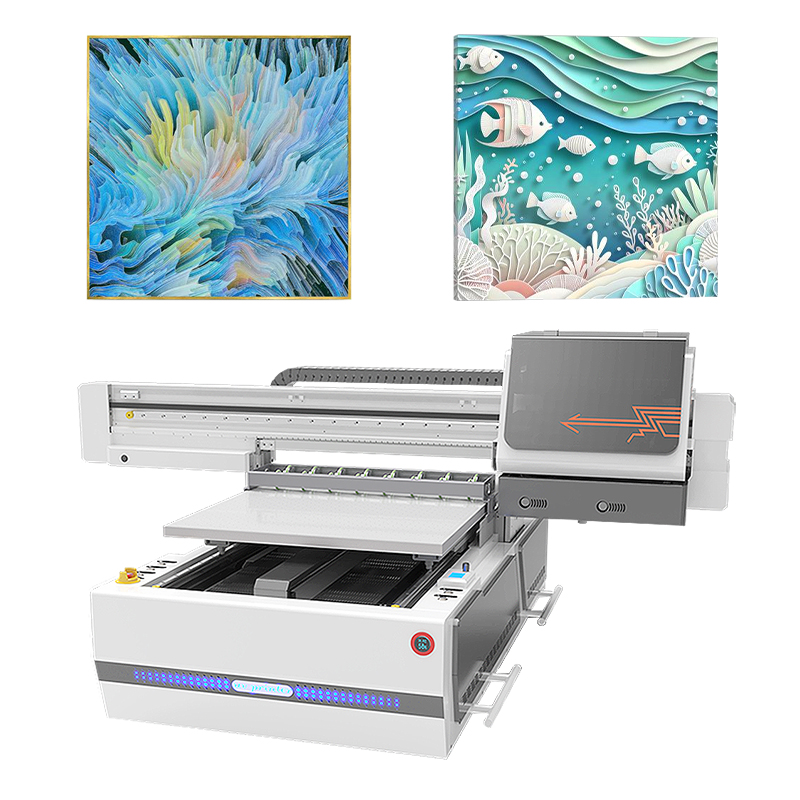
Understanding UV Flatbed Printer Color Calibration
Why Color Inconsistencies Occur in UV Flatbed Printing
Changes in environmental conditions often lead to unwanted color shifts. For instance, when temperatures fluctuate by about 5 degrees Fahrenheit, this can actually result in around 12 percent variation in colors. The same goes for UV lamps that age unevenly over time, losing roughly 30 percent of their intensity after running for about 1,200 hours straight. Another big factor is how porous the material surface is. Porous substrates tend to soak up approximately 18 percent more ink compared to non-porous ones, which makes it really hard to get consistent results across different prints. There are plenty of other things too that affect color accuracy. Ink viscosity that strays outside the acceptable range of plus or minus 2 percent matters a lot. Even tiny printhead misalignments, sometimes just over 0.03 millimeters, create noticeable problems. And let's not forget about those times when RIP software isn't properly calibrated, causing around 9 percent color drift specifically during the conversion from RGB to CMYK color spaces.
The Science Behind Color Accuracy in UV Printing
When properly calibrated according to ISO 12647-7 standards using LAB values, UV printers can reach color accuracy within about 2 Delta E units. Getting this kind of precision requires taking spectral reflectance readings every 10 nanometers throughout the visible spectrum from around 380 to 730 nanometers. High end printing equipment often employs the CIECAM02 color appearance model to handle tricky situations where colors look different under various lighting conditions like daylight at 6500K versus warm indoor light at 3000K. These systems also account for differences in viewing angles, typically comparing standard 2 degree observations with broader 10 degree perspectives. Another challenge comes from matching color ranges between common sRGB formats that support roughly 1.8 million colors and the expanded capabilities of modern CMYKOGV systems which can produce over 2.3 million distinct shades.
Rising Demand for Consistent Color in Digital Print Services
Seventy-eight percent of print buyers now require proof-to-production matches within E=3 (PIA 2023), up from 62% in 2020. This shift drives adoption of rigorous calibration across packaging prototyping (92% accuracy threshold for brand approvals), retail signage (86% of buyers reject E>5 displays), and industrial marking applications requiring AS9102-compliant traceability.
Essential Tools and Technologies for Effective Calibration
Using Spectrophotometers and Densitometry for Color Validation
When it comes to measuring how colors look and how thick ink films are, spectrophotometers and densitometers just can't be beat. These tools make sure everything stays consistent across print runs. The numbers back this up too - when properly set up, these devices cut down on color mistakes by around 72% instead of relying on what someone sees with their eyes alone, according to some research from the Printing Industry folks in 2023. For materials that don't absorb much ink, like acrylics or metals, densitometry really shines. Too much ink on these surfaces often leads to problems sticking properly because the ink doesn't cure right. That's why professionals swear by these measurement techniques for tricky printing jobs.
Role of ICC Profiles in UV Flatbed Printer Color Accuracy
ICC profiles basically serve as color translators between what designers see on screen and what comes out of the printer. When someone works with colors like PMS 185 Red, these profiles help ensure that vibrant red doesn't turn into something completely different once it hits paper. A recent survey from 2024 showed pretty impressive results too - print shops that implemented substrate specific ICC profiles saw their customer complaint rates drop by nearly two thirds. The real magic happens with tricky surfaces like canvas where special advanced profiles actually account for how ink spreads across the texture. These smart adjustments maintain those important shadow details while keeping colors from getting muddy and losing their impact altogether.
RIP Software Integration in Color Management Workflow
The latest RIP software does a lot more than just process images these days. It actually handles color corrections automatically while converting vector graphics to raster format, which gives printers much better control over where exactly the ink goes on paper. Most print shops have noticed something interesting when they pair their RIP systems with spectrophotometers. According to recent data from Graphic Arts Monthly in 2023, around three out of four operators hit that sweet spot of Delta E less than or equal to 2. That's basically invisible differences according to ISO standards for color management. And if that wasn't enough, many third party RIP solutions now come packed with memory banks containing hundreds of tested material profiles. These profiles cut down on setup time dramatically when running different jobs through the press, especially when switching between various substrates like glossy paper versus matte cardstock.
Step-by-Step UV Flatbed Printer Calibration Process
Initial Assessment: Printer Hardware Stability and Bed Flatness
Begin with a mechanical inspection: verify printhead alignment, ensure bed flatness within ±0.2 mm (Print Industry Standards 2023), and confirm uniform UV lamp output. Mechanical instability accounts for 43% of color deviation in uncured prints, making this step foundational to accurate calibration.
Test Prints and Color Sampling Across Substrates
Print standardized color charts on at least five common substrates - such as acrylic, metal, and textured board - to evaluate how surface properties affect ink absorption and saturation. Document differences between porous and non-porous materials to inform profile creation.
Measuring Output with a Spectrophotometer and Generating ICC Profiles
Measure LAB values of test patches against Pantone references using a spectrophotometer. Adjustments are needed if discrepancies exceed 3 Delta E. Create substrate-specific ICC profiles to map ink behavior accurately, reducing gamut errors by 78% in multi-material workflows.
Adjusting Printer Settings Based on Calibration Data
Fine-tune ink density (±5%), pass count, and curing intensity based on measured data. For example, corrugated board typically requires 15% higher ink saturation than glossy acrylic to compensate for surface roughness and absorption.
Validating Results: Calibrated vs. Uncalibrated Print Comparison
Produce matched prints with and without calibration. Under D50 lighting, calibrated outputs should achieve >95% Pantone accuracy, eliminating visible banding, metamerism, or hue shifts.
How Substrate and Curing Impact Color Output
Substrate Profiling for Accurate Color Reproduction
Each material interacts uniquely with UV inks, necessitating tailored substrate profiling for fidelity. A 2024 Color Accuracy Report found that material-specific ICC profiles reduced color variance by 63% versus generic settings. Examples include:
| Substrate Type | Recommended Profiling Method | Delta E Improvement* |
|---|---|---|
| Glossy acrylic | 16-point spectral measurement | Delta E ± 1.2 |
| Corrugated board | 8-point grayscale balancing | Delta E ± 2.8 |
*Delta E measures perceptible color difference (lower = better accuracy)
Material Absorption and Surface Finish Effects on Color
Porous substrates like uncoated wood absorb 18-22% more ink volume than non-porous alternatives (Ponemon Institute 2023), requiring adjusted ink deposition rates. Semi-gloss finishes can distort perceived color by up to 15% compared to matte under identical lighting, emphasizing the need for finish-specific calibration.
UV Lamp Intensity and Curing Parameters' Effect on Color
Exceeding optimal UV energy (typically 300-400 mJ/cm^2) accelerates polymerization and causes irreversible color shifts in 37% of CMYK blends (2024 FlexoTech Trials). Dual-wavelength curing systems help mitigate this by separating surface and deep-layer curing phases, preserving hue integrity.
Avoiding Color Shift from Over-Curing Despite Proper Calibration
Even with accurate calibration, over-curing can distort magenta and yellow tones. A 2023 study by a leading print lab showed that reducing cure intensity by 12% during final passes maintained color fidelity while still meeting ASTM D3363 adhesion requirements.
Maintaining Long-Term Color Consistency and Performance
Daily Calibration Routines and Production Workflow Integration
Daily calibration checks reduce color deviations by up to 68% (PrintTech Solutions 2023). A 5-minute startup routine - including nozzle alignment verification, ink density checks, LED intensity testing via grayscale patterns, vacuum hold-down assessment, and UV radiometer readings - ensures consistency before production begins.
Recalibration Frequency and ICC Profile Updates
Update ICC profiles quarterly to account for nozzle wear and ink formulation changes. One European provider increased client retention by 23% after aligning bimonthly recalibration with substrate inventory rotations (Digital Print Quarterly 2024).
Re-Calibrating After Printhead or Lamp Replacement
Eighty-nine percent of post-hardware-change quality issues stem from incomplete recalibration (Graphic Arts Research Consortium 2023). After replacing printheads or lamps, perform full-spectrum test prints, validate output against stored profiles using a spectrophotometer, and map UV output at 5 cm intervals across the print zone.
Automated vs. Manual Calibration: Pros and Cons
| Method | Color Deviation | Setup Time | Cost |
|---|---|---|---|
| Automated | ±3% | 12 minutes | $$$ |
| Manual | ±5% | 45 minutes | $ |
Automated systems minimize human error but require a 34% higher initial investment (Printing Economics Journal 2024).
Future Trends: AI-Driven Calibration and Predictive Color Adjustment
Machine learning algorithms can now predict color drift up to 8 hours before it becomes visually detectable, reducing substrate waste by 40% in beta tests (AIIPP Conference 2024). Emerging IoT-enabled UV flatbed printers automatically adjust settings based on real-time humidity and ink viscosity data, paving the way for self-optimizing print environments.
FAQ
What causes color inconsistencies in UV flatbed printing?
Color inconsistencies can result from environmental changes, aging UV lamps, porous materials soaking up more ink, and misaligned printheads. Proper calibration is necessary to avoid these issues.
Why is calibration crucial in UV flatbed printing?
Calibration ensures color accuracy by standardizing printer settings and creating ICC profiles to match desired outputs, reducing color errors and enhancing the print quality.
How does substrate choice affect color accuracy?
Substrates absorb ink differently, impacting color reproduction. Each substrate type may require unique ICC profiles to achieve accurate results.
What role do ICC profiles play in achieving color accuracy?
ICC profiles translate colors from screen to print, ensuring consistent output across different materials by adjusting for specific substrate characteristics.
How can UV lamp intensity and curing parameters impact color?
Excessive UV energy can lead to color shifts, while proper curing parameters maintain color integrity across prints.