 EN
EN

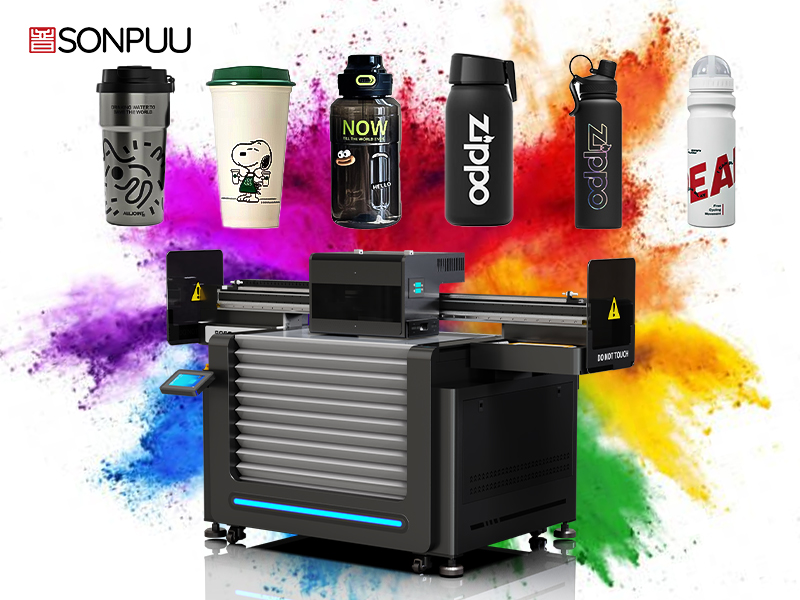
UV Printer Fundamentals: Curing, Ink, and Substrate Synergy
Instant UV curing enables precise layer stacking without smearing
When ultraviolet light hits UV-curable inks, it starts a chemical reaction almost instantly thanks to those special additives called photoinitiators. Each printed layer typically sets in just under half a second. This fast setting process stops colors from running into each other, which matters a lot when working on detailed prints where measurements need to be spot on. Compared to traditional solvent based methods that take ages to dry, UV printing cuts down production times by around three quarters according to industry benchmarks. What makes this technology so valuable is that once cured, multiple layers can be applied one after another without waiting for anything to dry first. This not only keeps colors pure but also opens up possibilities for creating really interesting surface effects that just aren't possible with older printing techniques.
Rheological properties of UV-curable inks support controlled thickness buildup
UV inks have what's called shear thinning properties and some degree of thixotropy, which means they flow nicely when being jetted out but get thicker quickly once deposited on a surface. This characteristic lets printers place tiny droplets accurately between around 7 to maybe even 42 picoliters, and keeps them from spreading all over the place where they shouldn't. When manufacturers formulate these inks with about 30 percent up to roughly 60 percent polymer content, they can create layers that are anywhere from just 8 microns thick right up to 120 microns per pass. That opens up possibilities for creating different textures and tactile sensations without messing up the sharp edges we need. The ideal viscosity range sits somewhere between 80 and 150 centipoise at room temperature (around 25 degrees Celsius), which helps the ink spread properly across surfaces while keeping those pesky dots from growing too much. And when talking about yield stress, anything above 5 pascals works well to keep structures intact during those multi-layer print jobs that so many industrial applications require nowadays.
Creating Layered Effects with Variable Ink Deposition
Grayscale mapping and droplet modulation generate optical depth and tonal gradation
When working with grayscale mapping, what happens is that image data gets converted into different levels of ink density. This allows UV printers to create the illusion of depth by controlling how tones transition from one to another. The process involves adjusting droplet sizes anywhere from about 6 to 42 picoliters. These tiny changes in ink application actually trick the eye into seeing contours and shadows where there might be none otherwise. What makes this work so well is the fact that UV inks cure instantly. This means layers stay intact when stacked on top of each other without bleeding issues, and we can get gradients as fine as 0.1%. When paired with 16-bit color processing, this approach really cuts down on those annoying banding effects that show up in things like skin tones or sunsets. According to tests done across the industry, using grayscale control instead of binary methods cuts visible banding by around 70%. For anyone needing truly lifelike prints with smooth transitions between colors, this technique has become pretty much standard practice now.
Multi-pass printing balances resolution, speed, and layer fidelity
Multi-pass printing optimizes layered effects by executing repeated printhead cycles over the same substrate area. Each pass deposits fractional ink layers that cure instantly before subsequent application, allowing cumulative thickness buildup while maintaining edge definition. This approach presents strategic trade-offs:
- High-fidelity mode (6–8 passes) achieves 1200 dpi resolution with ±5 µm layer alignment for intricate textures
- Production mode (2–4 passes) maintains 600 dpi quality at 65% faster throughput
- Hybrid configurations dynamically adjust passes per color channel to preserve critical details
The optimal pass count depends on substrate porosity and design complexity—non-absorbent materials like acrylic benefit from 4-pass sequences that achieve 98% layer registration accuracy without compromising production speed.
Achieving Textured Effects Through Raised UV Printing
White underbase + clear gloss overprint delivers 30–120 µm tactile relief
Specialized UV printers create those tangible textures we can actually feel by carefully building up layers, usually beginning with a white ink base layer first. The white ink serves as both a cover and gives that initial bump height somewhere between 15 to 30 microns thick. After that, operators lay down multiple coats of clear glossy ink one after another. Each layer gets cured right away under those UV lights so they don't blend together accidentally. The printer deposits tiny drops of ink precisely where needed to build up the texture vertically without losing sharp edges around the design. When going for really pronounced effects, most commercial setups stop at about 120 microns because beyond that point becomes impractical for most applications. Tests following ISO 2839:2022 guidelines show these printed surfaces stay intact even after being bent back and forth over 500 times on materials such as acrylic panels or aluminum sheets.
The process requires four critical calibrations:
- Underbase density: Minimum 80% coverage ensures dimensional stability
- Clear ink viscosity: 120–150 cP enables stacking without slumping
- Curing parameters: 300–400 mJ/cm² UV-A exposure per layer
- Height calibration: 5–8 µm incremental gains per clear coat pass
Textures outperform standard prints in durability testing, showing 40% less gloss reduction after Taber abrasion cycles. Applications range from braille signage requiring 100 µm minimum relief to luxury packaging with simulated leather grains. By mastering this layered technique, manufacturers transform flat graphics into dimensionally accurate, touch-responsive surfaces without post-processing.
FAQ Section
What is UV-curable ink? UV-curable ink is a type of ink that contains photoinitiators, which allow it to set and dry quickly when exposed to ultraviolet light.
How does UV printing compare to traditional methods? UV printing offers faster drying times, more precise layer application, and the ability to stack multiple ink layers without waiting for previous layers to dry.
What are rheological properties? Rheological properties refer to the flow characteristics of UV inks, such as shear thinning and thixotropy, which help control the thickness of ink deposition.
How are textured effects achieved in UV printing? Textured effects are achieved through layering of white and clear ink, with precise calibrations to create tactile relief and maintain edge definition.