 EN
EN

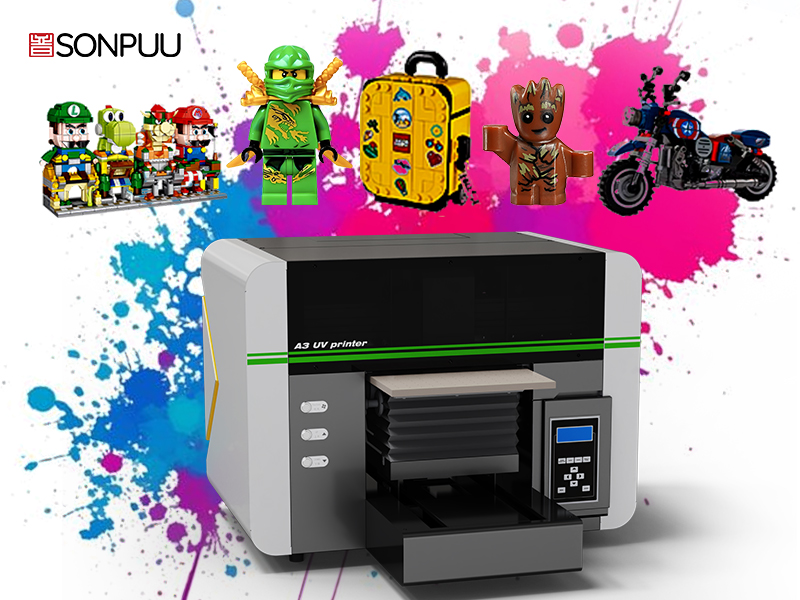
How UV Printers Work: Core Technology and Industrial Advantages
UV printers take digital artwork and turn them into tough, lasting prints using a special chemical reaction process. Traditional printing methods depend on solvents evaporating to dry the ink, but UV printers work differently. They use specially formulated liquid inks mixed with something called photoinitiators. The ink stays wet until it hits UV light from either LED or older mercury vapor lamps inside the printer. When this happens, the chemicals in the ink start reacting almost instantly, creating a hard surface right on the material being printed. Because there's no waiting for ink to dry, printed items can be handled and finished immediately after coming out of the machine, which saves time and money in production workflows.
This tech brings real advantages to industrial settings. The instant curing process keeps production lines running nonstop at high speeds, something manufacturers need when racing against tight deadlines in sign making and other industries where timing matters most. What's impressive about UV printers is how they stick to almost anything - plastic surfaces, metal parts, glass panels, even wooden materials - without needing special preparation first. From an environmental standpoint, these printers cut down on harmful VOC emissions by around 95 percent compared to traditional solvent methods according to data from Sustainable Print Alliance back in 2023. Plus, once printed, the polymer coatings hold up against scratches, chemical exposure, and sun damage too. Products last much longer outdoors or in harsh industrial environments where regular prints would fade or wear away quickly.
Critical UV Printer Specifications for B2B Production Needs
Print Speed, Resolution, and Media Handling Capacity
Choosing an industrial UV printer means walking the tightrope between how fast things get done and how good they look when they're finished. The print speed matters a lot since it's measured in square meters per hour and directly affects how much stuff comes out of the factory floor. But don't forget about resolution either. Anything below 1200 DPI just won't cut it for those brand logos or product images that need to pop off the surface. When looking at media handling options, there are several factors worth considering. What's the thickest material the machine can handle? Most setups work best with sheets between 5 to 10 centimeters thick. Does it struggle with heavier materials? And let's not overlook those automated feeding systems that save so much time during long production runs. For businesses running high volume operations, finding a printer that can churn through over 100 sheets each day without constant babysitting is absolutely critical to keeping operations running smoothly.
Curing Efficiency, Ink Adhesion, and Substrate Versatility
UV curing happens instantly, which means parts can be processed right away after printing. This is really beneficial for manufacturers who need products ready at a moment's notice. When using either mercury lamps or LED systems, it's important to check if they properly cure all the ink layers completely in just a few seconds. The strength of how ink sticks to surfaces matters a lot too. Good adhesion keeps printed images from peeling off even on tricky materials such as glass or special plastics. For quality assurance, most industry experts look for results that pass the ASTM D3359 test for cross hatch adhesion. What makes this technology stand out is its ability to work well on different types of materials. Printers can handle everything from stiff board stock to fabric pieces and oddly shaped objects without needing extra machines. This flexibility cuts down on the number of steps required when working with mixed material jobs.
Total Cost of Ownership: Beyond the UV Printer Purchase Price
Ink Consumption, Lamp/LED Lifespan, and Maintenance Costs
The running costs of UV printers go way beyond what people pay when they first buy one. The specialized UV inks used in these machines usually set businesses back around 30 to 50 percent more than regular solvent based alternatives. And let's face it, ink consumption can eat up nearly half of the entire budget each year. When looking at curing systems, there's a big difference between old school UV lamps that need replacing every thousand to two thousand hours at about $200 to $500 a pop versus modern LED modules which last over ten thousand hours while using much less power. Regular maintenance is also something no one wants to ignore weekly printhead cleaning, quarterly mirror checks, and annual servicing all chip away at the bottom line adding roughly 15 to 25 percent to yearly costs. All told, these ongoing expenses paint a much truer picture of what owning a UV printer really costs compared to just focusing on the sticker price.
Training, Integration, and Downtime Impact on ROI
The real money pit in many operations comes from workflow integration issues and operator training requirements that nobody talks about upfront but end up eating into profits. Getting staff properly trained usually takes between 40 to 80 hours just to reach decent print quality standards and get machines running efficiently. Then there's the headache of integrating new software with existing MIS or ERP systems, which typically needs 2 to 4 weeks of back and forth technical work. When unexpected downtime hits, it really hurts business bottom lines too. Print shops running at full capacity lose anywhere from $500 to $2,000 per hour when production stops cold. That's why looking at total cost of ownership shouldn't stop at ink and paper costs alone. Anyone managing high volume printing knows that keeping those presses rolling nonstop is what actually makes or breaks the financials.
Matching UV Printer Models to Your B2B Application and Workflow
Signage, Packaging Prototyping, and Short-Run Decorative Printing
When choosing UV printers, make sure they fit what the shop actually needs most. Signage work calls for machines that can lay down thick white ink that won't fade when exposed to sun and weather conditions. Packaging prototypes need spot-on color matches, ideally within a delta E value below 2, plus the capability to print on all sorts of materials including corrugated cardboard and foamed PVC sheets. For those quick turnaround decorative jobs, look at printers equipped with special effect inks like texture finishes, metallic tones, or glossy varnishes, along with fast curing systems that deliver consistent results every time. The best option often turns out to be a modular printer setup since this lets operators switch between different printing tasks quickly without wasting hours on machine changes.
Choosing Between Flatbed, Hybrid, and Conveyor UV Printers
Evaluate printer configurations against workflow volume and material profiles:
- Flatbed UV printers excel for rigid substrates (acrylic, wood, aluminum) up to 3" thick.
- Hybrid models combine roll-to-roll flexibility with flatbed versatility—ideal for mixed-media shops producing banners, POP displays, and custom panels.
- Conveyor systems automate high-volume cylindrical object printing (bottles, tumblers, pens), supporting consistent registration and variable-diameter handling.
Prioritize energy-efficient LED curing for temperature-sensitive materials. Ensure media handling capacity matches your largest common substrate dimensions—and confirm compatibility with your most frequently used materials before finalizing procurement.
FAQs
What are UV printers used for?
UV printers are used for creating durable prints on various substrates like plastic, metal, glass, and wood, making them ideal for industrial settings, signage, packaging prototypes, and decorative printing.
How does UV curing work?
UV curing involves exposing liquid inks mixed with photoinitiators to UV light, triggering a chemical reaction that instantly hardens the ink, allowing prints to be handled immediately.
What are the advantages of UV printers over traditional printers?
UV printers offer instant curing, reduced VOC emissions, strong adhesion on diverse materials, and prolonged outdoor durability, making them more efficient and environmentally friendly compared to traditional printers.
What factors should I consider when choosing a UV printer?
Consider print speed, resolution, substrate versatility, media handling capacity, curing efficiency, cost of ownership, and compatibility with your specific application and workflow needs when choosing a UV printer.